
June 16, 2026
How to Assess IT Risk at Your Business (Without Being an IT Expert)
Your business is likely taking on IT risk without even realizing it. It happens more often than we think. Most businesses aren’t actively choosing risk. They simply haven’t been shown where it exists or how to evaluate it. If you’re busy running a business, an IT risk assessment probably isn’t what keeps you up at night, even though it’s quietly woven into everything you do, from how your team communicates to how money moves through your organization.
The good news is you don’t need to be technical to understand it.
What Is IT Risk (in Plain English)?
IT risk is anything that could disrupt your business, cost you money, or expose sensitive information. It’s not just cyberattacks. It’s downtime, outdated systems, human error, and even tools being used in ways you didn’t intend.
Think of it less as an “IT problem” and more as a business risk that happens to involve technology.
For example, a phishing email could lead to a fraudulent payment. A system outage could stop operations for a day. A piece of legacy software might suddenly fail with no one available to fix it. None of these scenarios are rare, and all of them can have a real impact.
Where Do Most Businesses Overlook IT Risk?
Most IT risk hides in tools and processes that feel completely normal, especially ones that were set up quickly or left on default settings. The risk isn’t always complexity. It’s familiarity. Take Microsoft Teams as a simple example. By default, it allows external communication through Guest Access. That means someone on your team can start a conversation with an outside contact just by entering their email address.
That’s incredibly useful, but it also means external communication may be happening without much visibility or control. Also, because Teams doesn’t filter messages the same way email does, it can become an easier path for impersonation if an account is compromised. It’s a small setting, but it illustrates a bigger point: most risk isn’t dramatic. It’s quietly built into how systems are configured.
How Do You Start Doing an IT Risk Assessment?
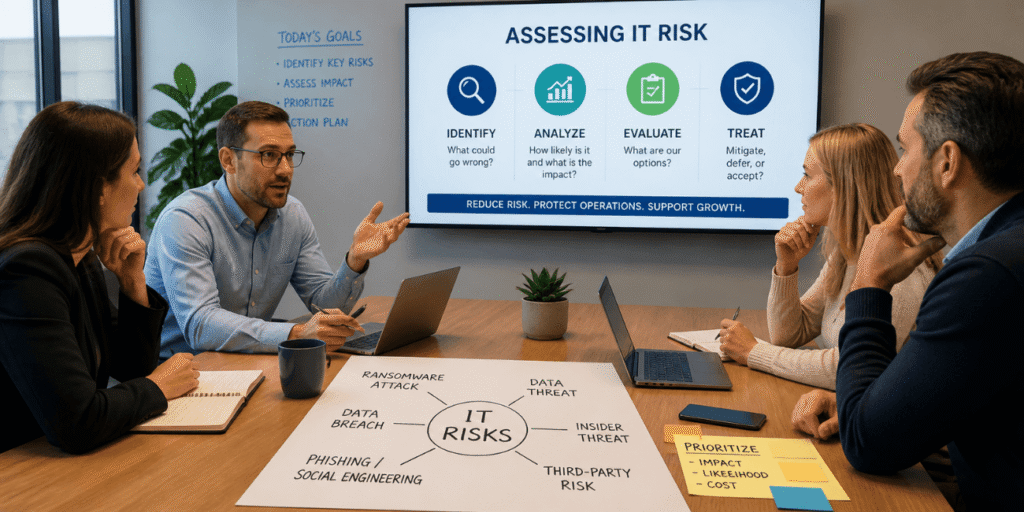
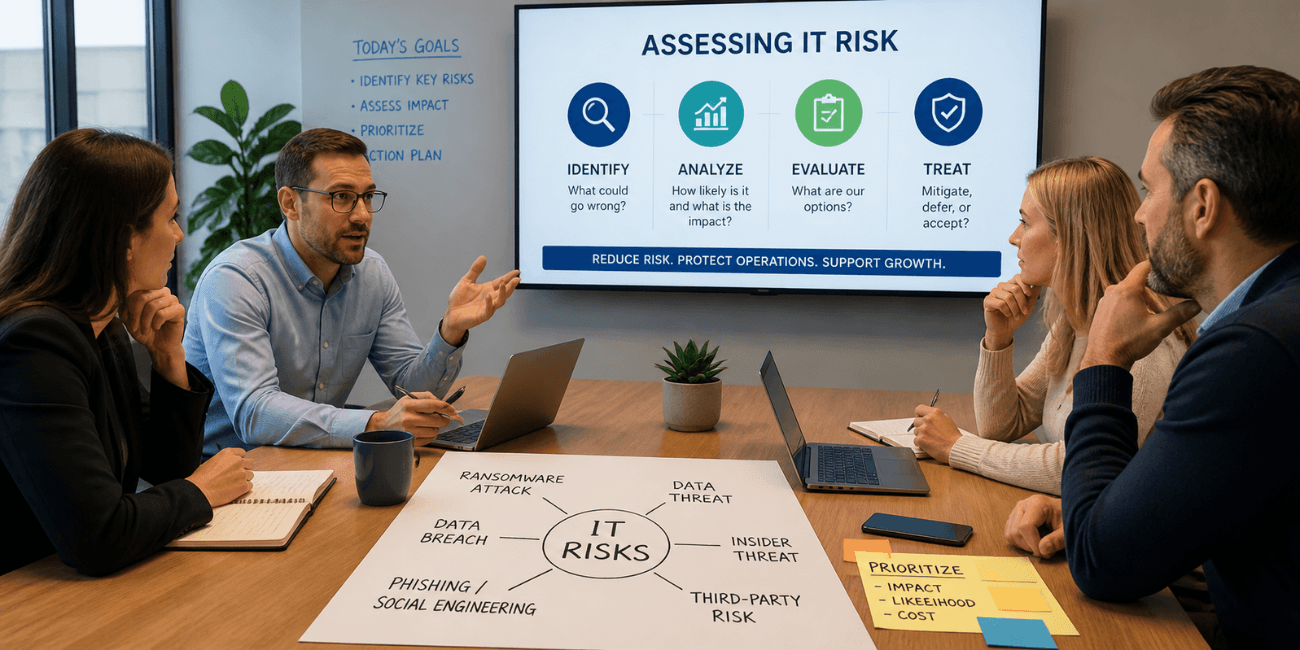
Start by asking a simple question: “What could realistically go wrong?” You don’t need a technical audit to begin, just a structured conversation. One of the most effective approaches is a tabletop exercise. Bring together a few key people across your business and walk through different scenarios. Some will be obvious, like ransomware or phishing. Others might be more operational, like losing access to critical systems or relying on software no one can support anymore.
What makes this valuable is the perspective. When different departments contribute, you start to see risks that wouldn’t surface in an IT-only conversation. You also begin to understand how those risks would affect day-to-day operations. The boots-on-the-ground type of people. Often, the biggest realization is that some of these “what if” scenarios are already happening in smaller ways.
If you’d rather not run this exercise on your own, this is something our managed services team facilitates regularly. We help guide the conversation, ask the right questions, and make sure nothing important gets missed.
How Do You Prioritize Which Risks Matter Most?
After you’ve identified your risks, you need to figure out which ones deserve your attention because not everything carries the same weight. The best way to do this is to estimate the impact of each risk. Consider how much of your business would be affected, how often something could happen, and what it would cost each time it did. You don’t need exact numbers, just a reasonable estimate.
This approach gives you a clearer sense of which risks could cause meaningful disruption and which ones are less urgent. Most organizations are surprised by what rises to the top. Often, risks tied to IT systems rank higher than expected. Not because they’re more dramatic, but because they affect so many parts of the business at once.
What Can You Do About the Risk?
Every risk ultimately comes down to three choices: mitigate it, defer it, or accept it. Once you understand this, all risk becomes much more manageable. As you go through your IT risk assessment, consider which of the following would be an acceptable response to each risk:
Mitigation is about reducing the likelihood of something happening in the first place. This is where most security tools and policies come into play. Things like authentication controls, access restrictions, and user training. Here’s a fun fact: there are 40% fewer employee-driven incidents when GenAI is paired with integrated security behavior and culture programs.
Deferring risk usually means transferring it, often through insurance. You’re not eliminating the issue, but you’re limiting the financial impact if it occurs. Cyber insurance is no longer a smart “just-in-case” tactic. It has quickly become a non-negotiable in an organization’s risk strategy. However, getting cyber insurance is neither easy nor affordable. Check out this article if you need help in getting your business insurable.
Acceptance is the reality that some risks simply can’t be eliminated. Either they’re too costly to fix, too unlikely to justify action, or unavoidable. Even with strong controls in place, some level of residual risk always remains. The goal isn’t perfection. It’s making intentional decisions instead of accidental ones.
Why Are IT Risks Often the Most Significant?
Technology is involved with almost everything in your business; even small issues can have a ripple effect across an organization. When unexpected downtime occurs, it doesn’t just affect IT. It impacts every level of business, like operations, finance, and customer relationships.
Even regular day-to-day tasks rely on systems, and when those systems go down, productivity drops quickly, sometimes taking days to recover. That’s why IT risk isn’t just about protecting data. It’s about keeping the business running as it should.
What Are Some Simple Ways to Reduce IT Risk?
The most effective improvements are often straightforward and already within reach. In many cases, it’s not about adding complexity. It’s about tightening what’s already there. Some easy suggestions:
- Adding multi-factor authentication, for example, significantly reduces the likelihood of unauthorized access (did you know that more than 99.9% of the accounts that end up being compromised do not have MFA enabled?).
- Setting up Conditional Access policies gives you more control over how and where users log in. Reviewing who has administrative access can close off a major pathway for malware.
Even small changes (like changing the default setting in Microsoft Teams) can make a noticeable difference. The key is consistency. When these controls are applied thoughtfully across the organization, they create a much stronger foundation.
What Can’t You Eliminate About Risks?
No matter how well you plan, some level of risk will always remain. That’s not a failure. It’s just a reality.
This is where strategy comes into play. You mitigate what you can, then decide how to handle what’s left. In some cases, that means accepting a manageable level of exposure. In others, it means using insurance to cover potential losses. What matters is understanding where those boundaries are, rather than discovering them after something goes wrong.
Why This Process Is More Empowering Than It Sounds
IT risk assessment isn’t about adding stress. It’s about removing uncertainty. Once risks are identified and prioritized, decision-making becomes clearer. Instead of reacting to problems, you plan ahead. Investments become more intentional. Conversations shift from “what if” to “here’s how we handle it,” and perhaps most importantly, it gives you confidence, not because nothing can go wrong, but because you know how to respond if it does.
A Simple Starting Point
If you do nothing else, take one hour in the next month to have a structured conversation about risk with your team. Write down what comes up. That alone puts you ahead of most organizations. From there, you can decide what needs immediate attention and what can wait. You don’t need to solve everything at once. You just need to start seeing the full picture.
Managing Risk
IT risk isn’t going away. If anything, it’s becoming more connected to how businesses operate every day, but it doesn’t have to be overwhelming. With a simple approach (identify, evaluate, and decide), you can turn something complex into something practical, and once you do, you’ll find that managing risk isn’t just about protection. It’s about running a more resilient, more confident business.
Not sure where to start? That’s where we come in. If you want help making sense of your risk, just want a second opinion, or need help facilitating an IT risk assessment, we’re here for it. We’ll help you cut through the noise and focus on what truly matters. No overcomplication. Just practical guidance that makes your life easier.

Shadow AI: The Productivity Boost That Could Become a Security Risk
AI plays a major role within your organization, whether you realize it’s being used or not. While many businesses scramble to figure out how to use AI best, one less talked about concern for business owners is: do you even know how your team is already using it, and if you do, are you aware [...]
Read More
Why Your Employees Having Local Admin Rights Is a Ransomware Waiting to Happen
Most businesses grant Local Admin access because it’s convenient. Someone needs to install software, an application needs an update, or a vendor needs to make a quick change. Rather than involving your IT security services provider every time, organizations often grant broader permissions and then just move on. For years, that was acceptable. Today, it’s [...]
Read More

Cybersecurity Training for Employees: The Cheapest Cybersecurity Investment You’re Probably Skipping
Most cyberattacks aren’t ultra-sophisticated. They simply start with a person clicking a link, opening an attachment, or responding to a message that looks legit. You can do everything right, like invest in firewalls, antivirus software, and multi-factor authentication. You can partner with a trusted IT provider (like us!) and implement best practices across your organization. [...]
Read More